
Backup Longhorn volumes to S3
Introduction
Need a backup solution for your Kubernetes Longhorn volumes? S3 storage is a widely used and reliable choice. This step-by-step guide covers how to set it up. Remember that Longhorn's built-in replication protects against hardware failures, but it does not replace a true backup strategy.
Prerequisites
- Kubernetes basic knowledge.
- An active AWS account with the AWS CLI configured.
- AWS Access and Secret keys with permissions to access the target S3 bucket.
- A running Kubernetes (K8s) cluster with the Sealed Secrets controller installed.
- Longhorn deployed via Helm.
Step-by-step
-
Create a S3 bucket.
bashaws s3api create-bucket --bucket k8s-longhorn-s3-backups { "Location": "/k8s-longhorn-s3-backups", "BucketArn": "arn:aws:s3:::k8s-longhorn-s3-backups" } -
Create a
SealedSecretcontaining your AWS Access and Secret keys to grant Longhorn access to your S3 backup target.bashexport AWS_ACCESS_KEY_ID='toBeDefined' export AWS_SECRET_ACCESS_KEY='toBeDefined' kubectl create secret generic s3-secret --dry-run=client \ --namespace=longhorn-system \ --from-literal=AWS_ACCESS_KEY_ID=$AWS_ACCESS_KEY_ID \ --from-literal=AWS_SECRET_ACCESS_KEY=$AWS_SECRET_ACCESS_KEY \ -o yaml \ | kubeseal --format=yaml -
Configure the default backup target (helm values) in Longhorn to point to your AWS S3 bucket, ensuring the system knows where to store and retrieve your backups.
yamlapiVersion: helm.toolkit.fluxcd.io/v2 kind: HelmRelease metadata: name: longhorn namespace: longhorn-system spec: values: defaultBackupStore: backupTarget: s3://k8s-longhorn-s3-backups@us-east-1/ backupTargetCredentialSecret: s3-secret -
Create a recurring backup job with a daily schedule. You can control which volumes are included by using the
daily-backupgroup label.yamlapiVersion: longhorn.io/v1beta2 kind: RecurringJob metadata: name: daily-backup namespace: longhorn-system spec: concurrency: 1 cron: 0 0 * * * groups: - daily-backup labels: {} name: daily-backup parameters: {} retain: 7 task: backup -
Navigate to the Longhorn UI, select the volumes you wish to include in the backup, and assign them to the
daily-backupgroup within theRecurring Jobs Schedulesection.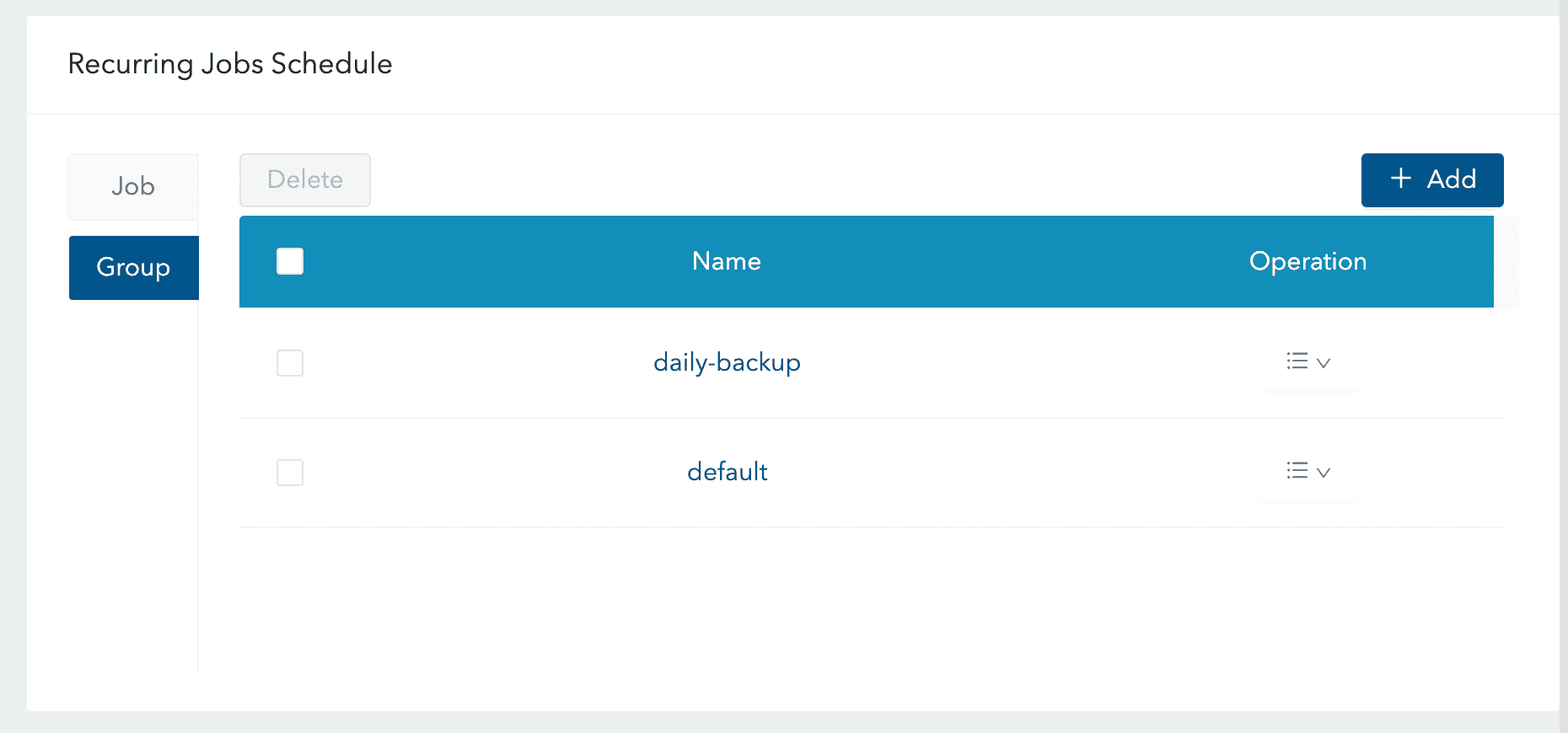
Conclusion
Congratulations! You have successfully implemented a backup solution for your volumes, which are now securely stored in AWS. Note that you can also utilize any S3-compatible alternative, such as Scaleway Object Storage.
If you found this useful, you can buy me a coffee! Thanks for the support!