
Secure multi-team Kubernetes access with Tailscale
Introduction
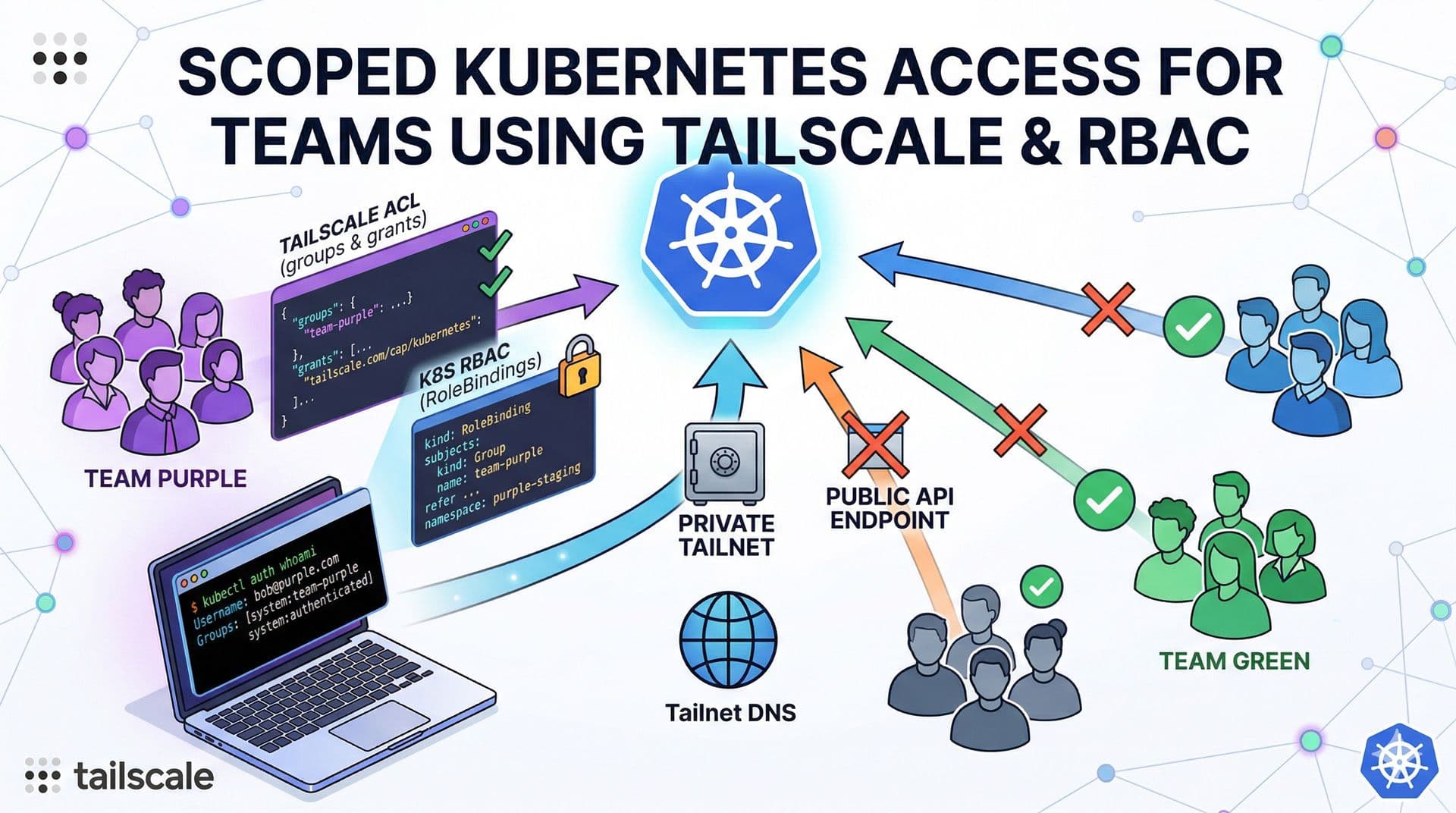
You are an administrator of a large Kubernetes cluster shared by many teams. You want to grant each team access only to the resources they are permitted to use. You've come to the right place. I'll show you how to configure permissions with Tailscale and secure your Kubernetes API so you can provide access without exposing your Kubernetes API endpoint publicly.
Prerequisites
- A Tailscale account.
- A Kubernetes cluster.
- Tailscale Kubernetes Operator installed with
apiServerProxyConfig.modeenabled.
Step-by-step
-
Create a Tailscale group for your team and assign its members to it.
json"groups": { "group:team-purple": ["bob@purple.com", "alex@purple.com"], }, -
Grant your group access to Kubernetes, for example as the
team-purplegroup in Kubernetes.json"grants": [ { "src": ["group:team-purple"], "dst": ["tag:k8s-operator"], "ip": ["*"], "app": { "tailscale.com/cap/kubernetes": [{"impersonate": {"groups": ["team-purple"]}}], }, }, ], -
Create the
RoleBindingin the namespaces your team should have access to.yaml--- apiVersion: rbac.authorization.k8s.io/v1 kind: RoleBinding metadata: name: team-purple-admin namespace: purple-staging subjects: - kind: Group apiGroup: rbac.authorization.k8s.io name: team-purple roleRef: apiGroup: rbac.authorization.k8s.io kind: ClusterRole name: admin --- apiVersion: rbac.authorization.k8s.io/v1 kind: RoleBinding metadata: name: team-purple-admin namespace: purple-prod subjects: - kind: Group apiGroup: rbac.authorization.k8s.io name: team-purple roleRef: apiGroup: rbac.authorization.k8s.io kind: ClusterRole name: admin -
Provide the
kubeconfigfile to your team with the following content.yamlapiVersion: v1 clusters: - cluster: server: https://k8s-tailscale-operator.YOUR_TAILNET_DNS.ts.net name: team-purple contexts: - context: cluster: team-purple user: tailscale-auth name: team-purple current-context: team-purple kind: Config users: - name: tailscale-auth user: token: unused -
On the client PC, start Tailscale and connect to the tailnet. Your team should now have access only to the resources they are allowed to use. Run the auth command to verify access.
bashkubectl auth whoami ATTRIBUTE VALUE Username bob@purple.com Groups [system:team-purple system:authenticated]
Conclusion
By combining Tailscale identity-based access controls with Kubernetes RBAC, you can give each team secure, scoped access to only the namespaces and resources they are allowed to use. This approach keeps your Kubernetes API private, avoids exposing it publicly, and simplifies access management by tying permissions to your Tailscale groups.
References
If you found this useful, you can buy me a coffee! Thanks for the support!