
Send BTC from offline wallet

Introduction
On 19 February 2026, I published a tutorial on creating a secure offline BTC wallet. Today, I'll show you how to send BTC from that wallet securely - without ever bringing your offline environment online.
Prerequisites
- An offline VM or PC with coinb.in's source code.
- Your BTC private key.
Step-by-step
-
On an ONLINE PC, open Coinb.in’s New Transaction page.
-
Paste the BTC address(es) that hold the funds you want to spend, then click
Load. -
Open the
Inputstab to review the unspent outputs (UTXOs) available to spend. -
Enter the recipient BTC address(es) in the
Outputstab. -
Set the amount(s) and the transaction fee (you can estimate fees with the Bitcoin Fee Calculator).
-
Click
Submitto generate theunsignedtransaction.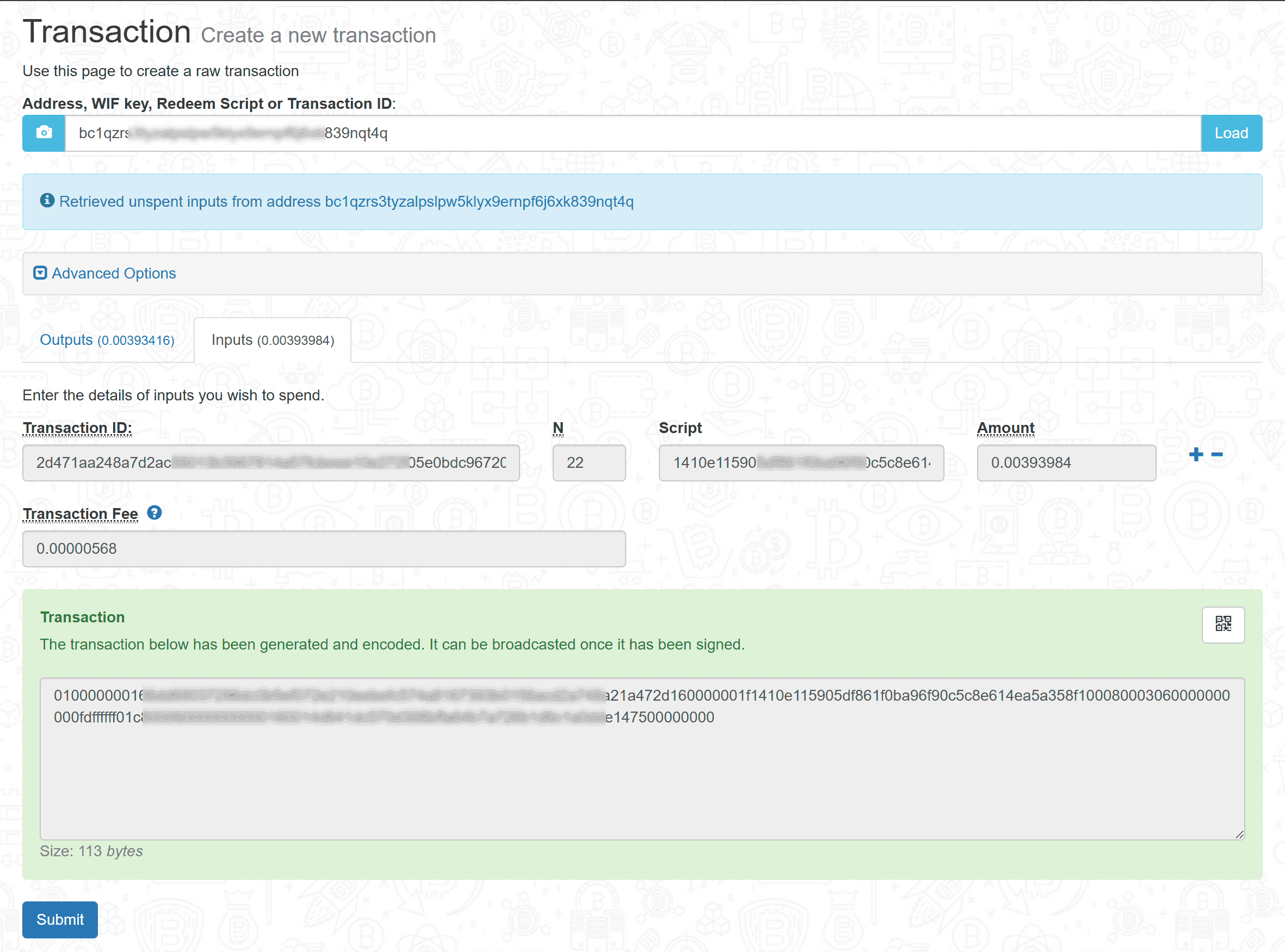
-
Copy the
unsignedtransaction to your offline machine (e.g., via USB). -
On the OFFLINE machine, open your local
index.html(Coinb.in source) and go to theSigntransaction page. -
Paste the
unsignedtransaction and your BTCprivate key, then clickSubmitto sign it.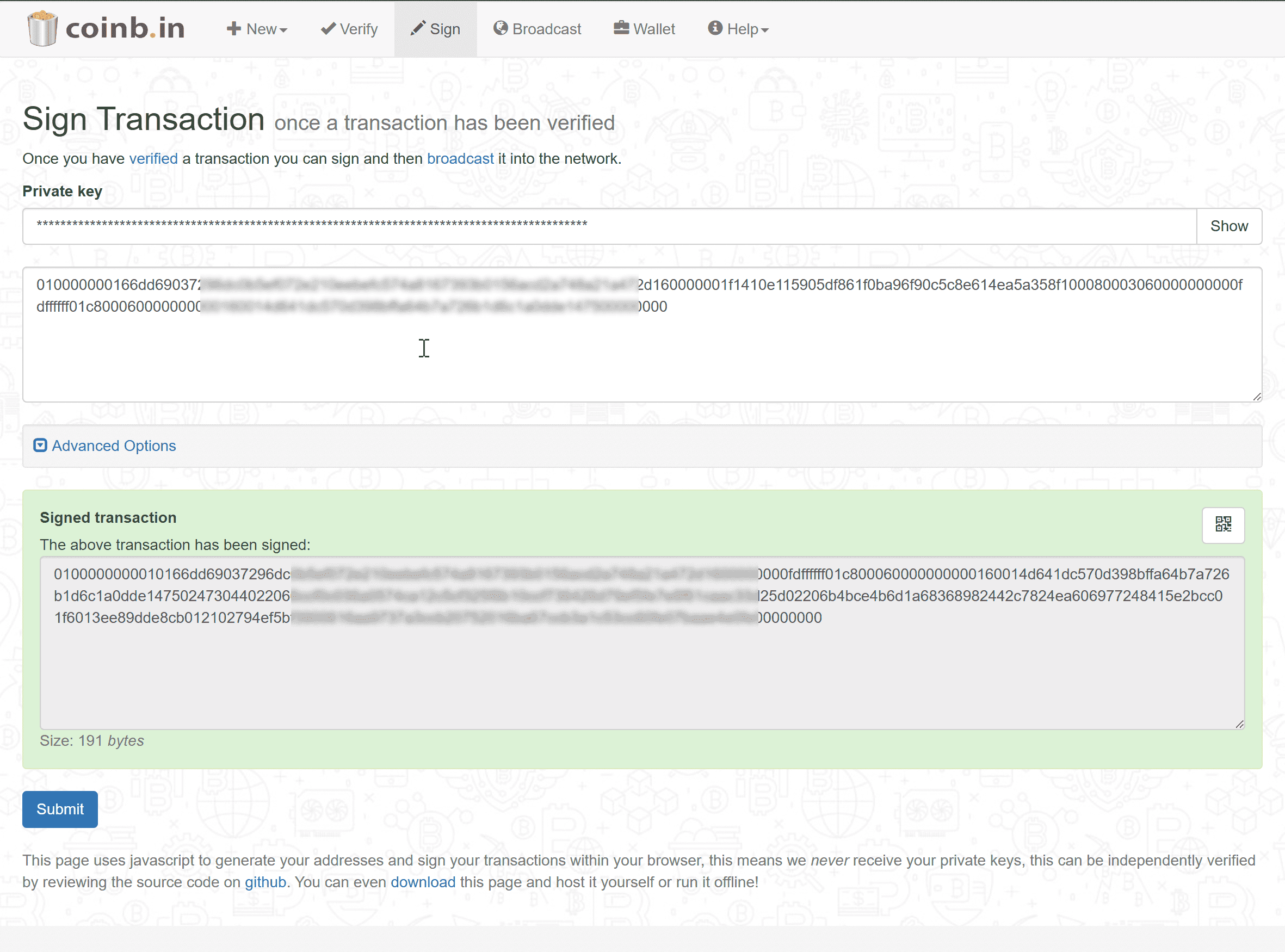
-
Go to the
Verifypage to verify thesignedtransaction.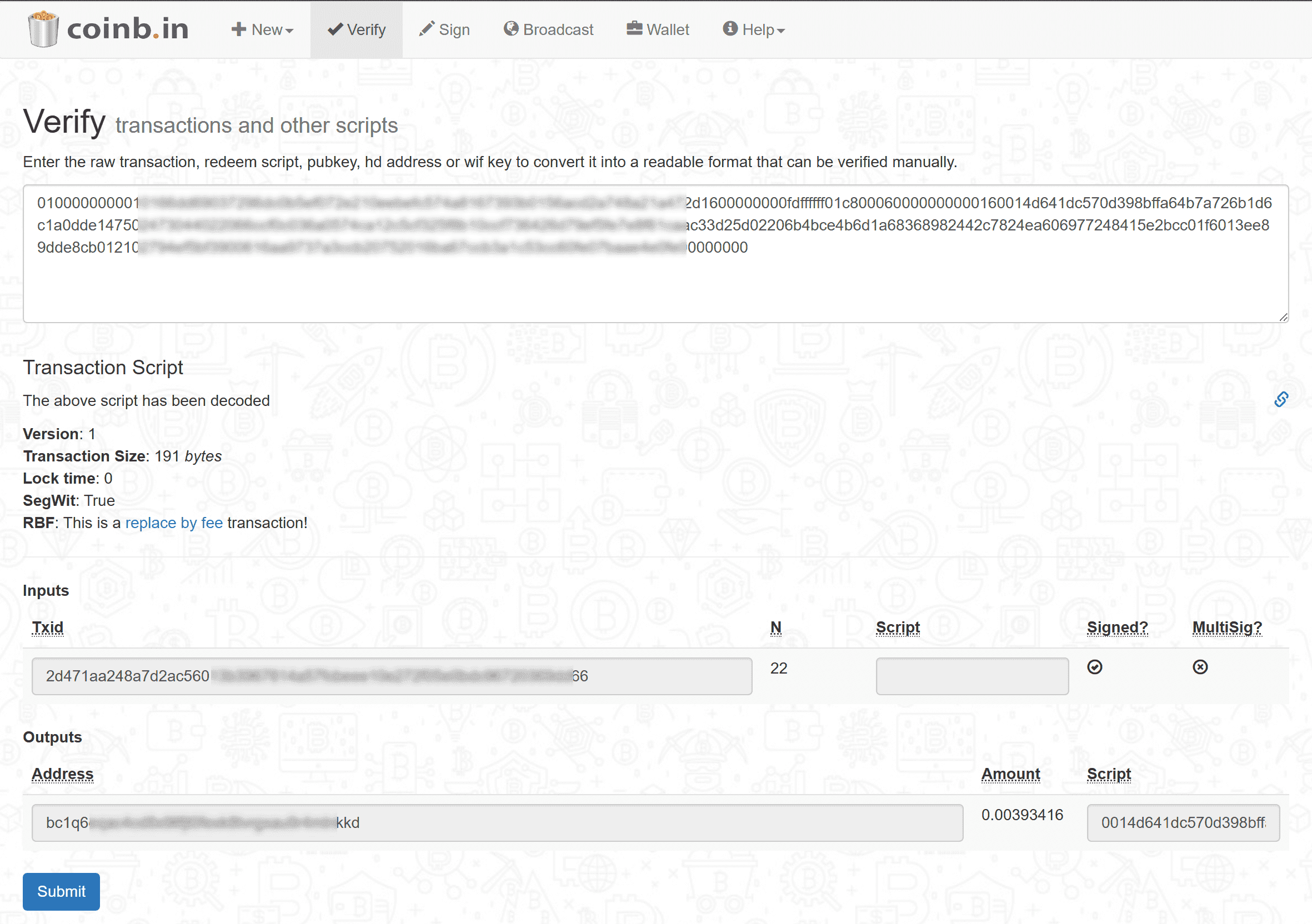
-
Copy the
signedtransaction back to the online PC. -
On the ONLINE PC, go to Coinb.in's
Broadcastpage and submit the signed transaction to the Bitcoin network.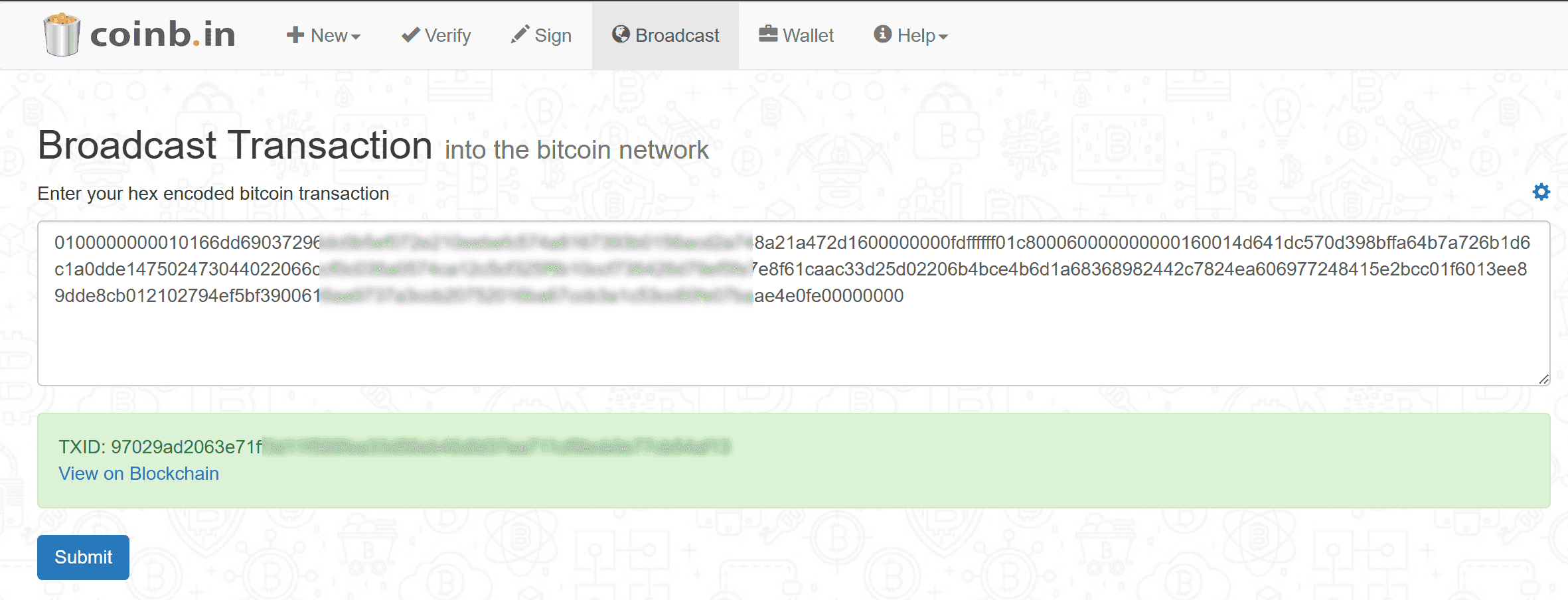
-
A miner will include your transaction in a block once it’s accepted (timing depends on the fee).
-
Done! Your BTC should be sent shortly.
Conclusion
You've now sent BTC securely from a fully offline cold/paper wallet. Your private key never leaves the offline machine, so it remains completely offline during the signing process - eliminating the risk of it being exposed or stolen online.
Related
If you found this useful, you can buy me a coffee! Thanks for the support!